First, choose which you'd like to do
If you would like to instead upload classes via spreadsheet, see this page for instructions.
How to move students between classes
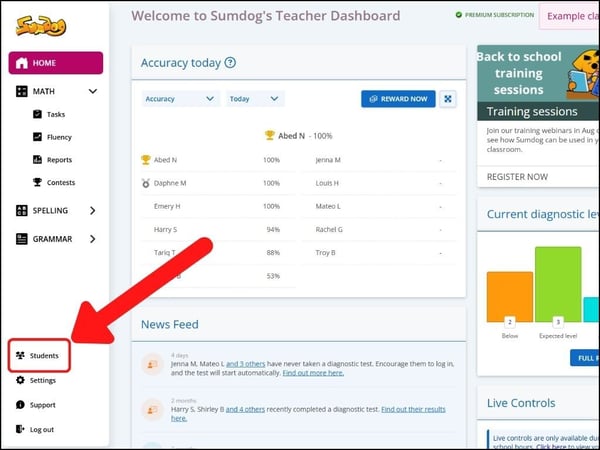
- Select "students" (or pupils) from the sidebar on the left of your dashboard.
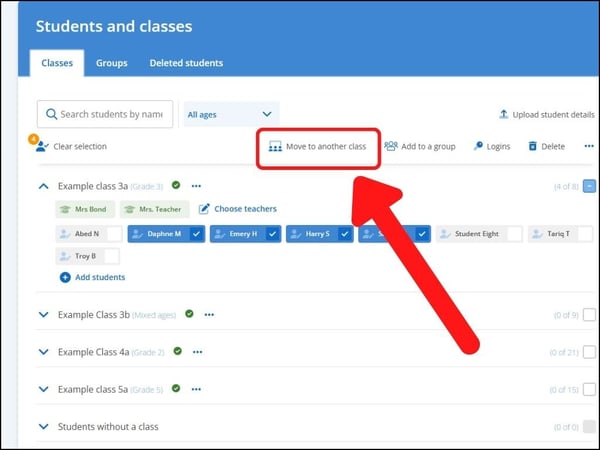
- Select the students you would like to move by clicking on them and then choose "move to another class"
- Select the class you'd like to move the students to and click 'move students'
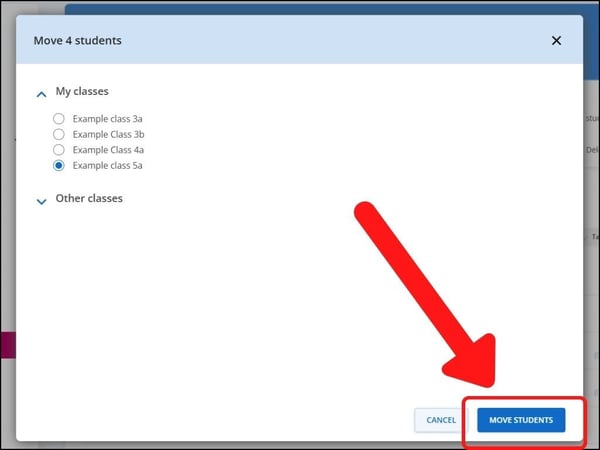
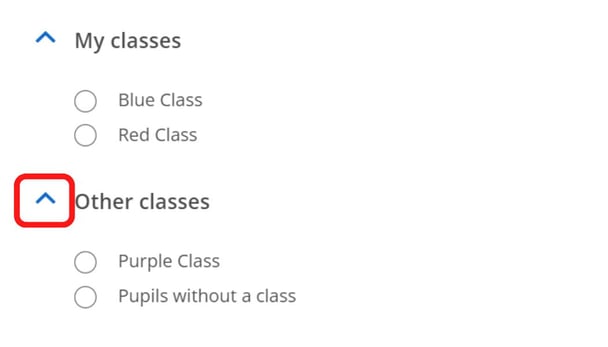
Tip: If you would like to move a student who is not currently in a class you're assigned to, you can click the arrow next to 'other classes' to show classes you're not assigned to.
How to change which teachers are responsible for classes
- Select "students" (or pupils) from the sidebar on the left of your dashboard.
- Click the class, and then "choose teachers".
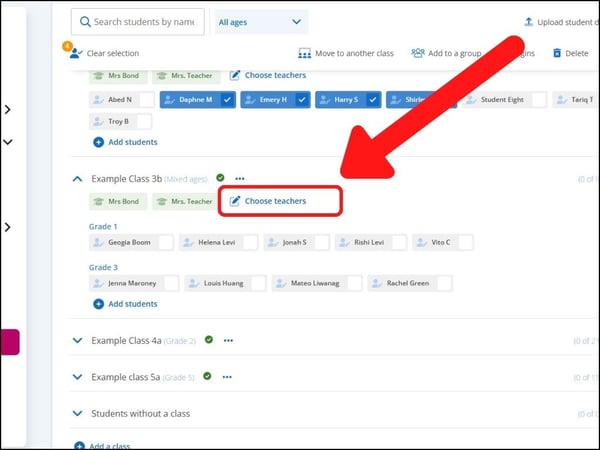
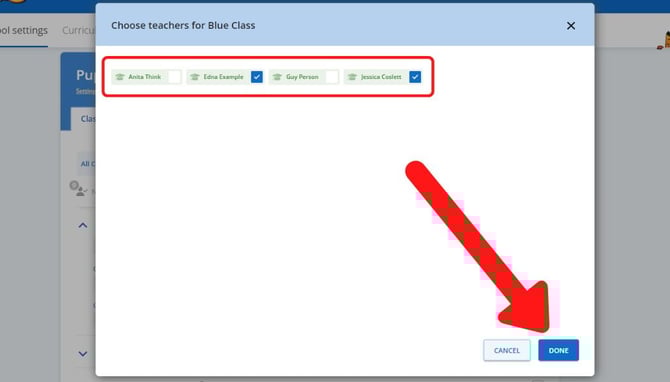
- Click on a teacher's name to select or deselect the teacher. Once all the teachers you'd like to assign to the class are selected, click "done".