
How to remove a teacher from your school
- Click "settings" at the bottom left corner on your dashboard
.jpg?width=670&height=503&name=CX%20Knowledge%20Base%20Images%20(2).jpg)
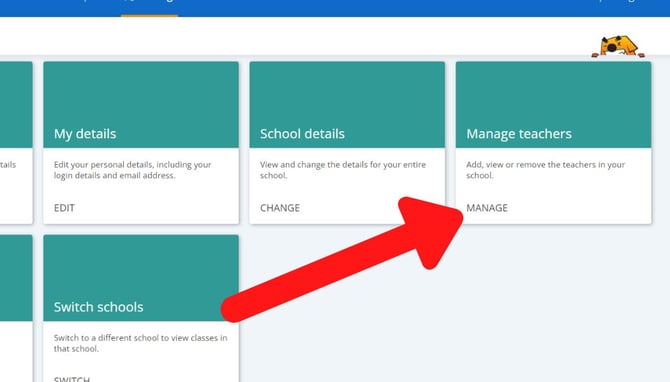
- Then Click 'manage' in the Manage Teachers box
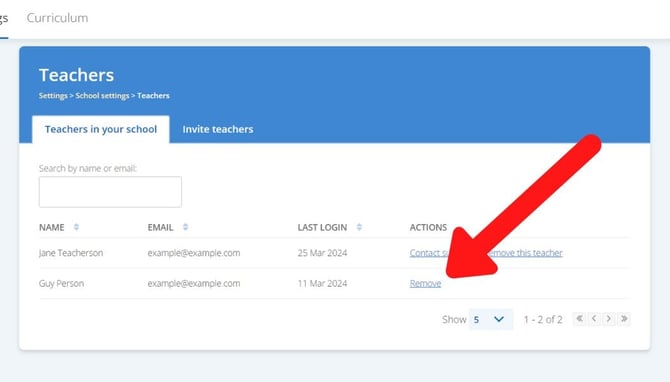
- Click 'remove' next to the teacher
- A popup will appear asking if you are sure you would like to remove the teacher. Click 'ok'
Seeing a message that says you can't add or remove teachers?
If your school roster is set up to automatically update with us through Wonde or Clever, you may not be able to remove teachers manually.
Instead, you will need to make sure the teacher is no longer being shared with us on your school's external roster. All changes made to your external roster will be reflected on Sumdog after our next nightly sync with Wonde/Clever.
Read more here
If you have any questions, the quickest way to contact us is via this form.