
How to view Family Reports
- Go into Reports from your Parent Dashboard
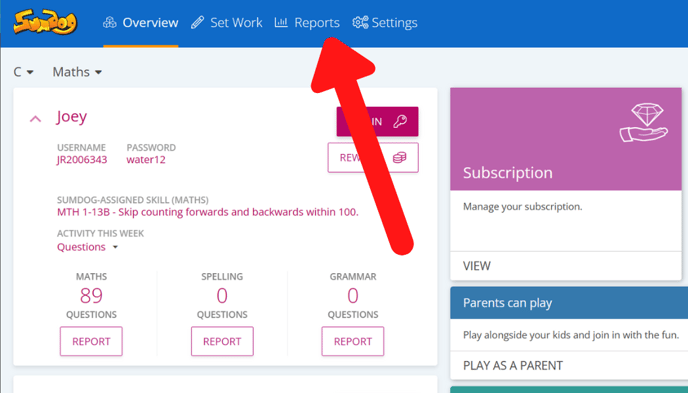
- Click 'view' in the Family Summary Report box
.jpg?width=655&height=374&name=Set%20work%20(23).jpg)
- On this page you can see the metrics and the dates you'd like to view data for.
.jpg?width=655&height=374&name=Set%20work%20(24).jpg)
How to understand Family Summary Report metrics
The list below explains each metric you can choose to view, and what each metric shows.
Questions answered – Number of questions answered in the specified time period and grade/year group level
Correct answers – Number of questions answered correctly in the specified time period and grade/year group level
Accuracy – A percentage value calculated as the number of correct answers divided by the number of questions answered
Time– The average time it took for a student to answer questions from a particular grade/year group level
Level - The current level that is being worked on in Fluency Booster