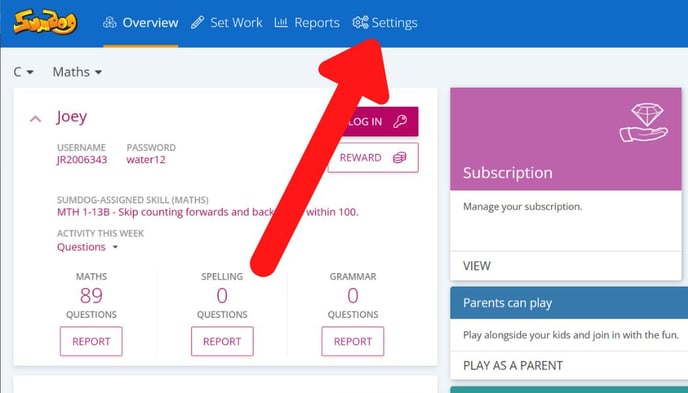
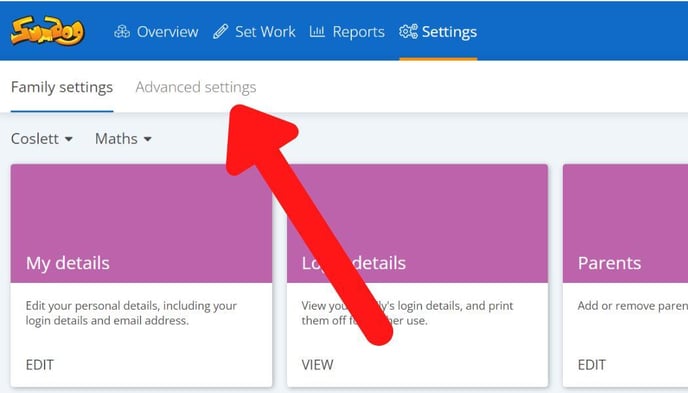
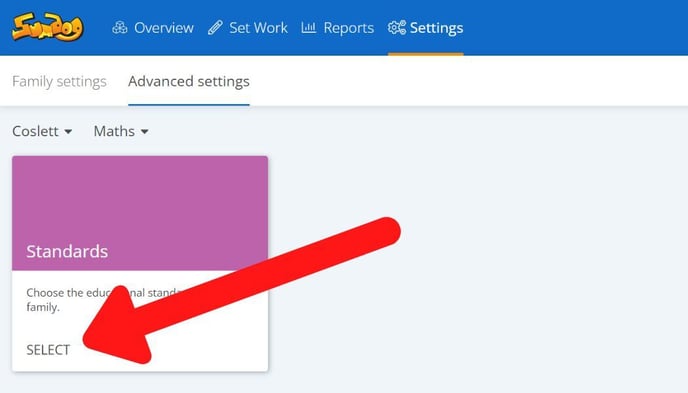
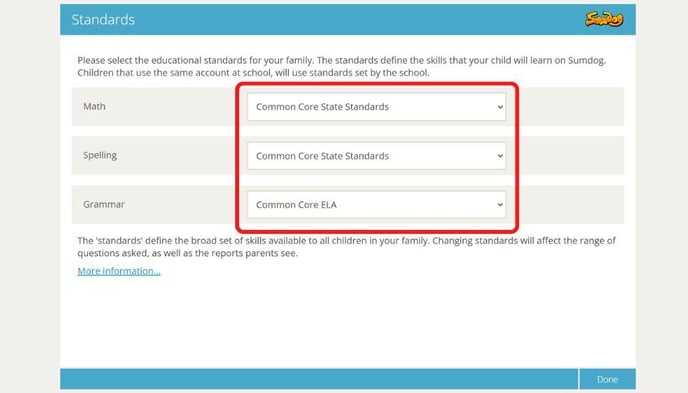
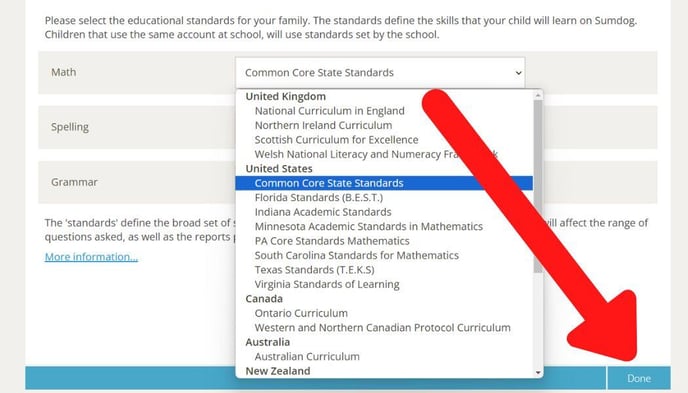
May 29, 2024 How do I change the educational standards/curriculum for my child? You can change the curriculum your family account is set to by following the steps below Go into Settings Click 'Advanced Settings' Click 'select' in the Standards box Click on the curriculum/standards you'd like to change Select the curriculum/standards you'd like to use from the dropdown menu and click 'done'