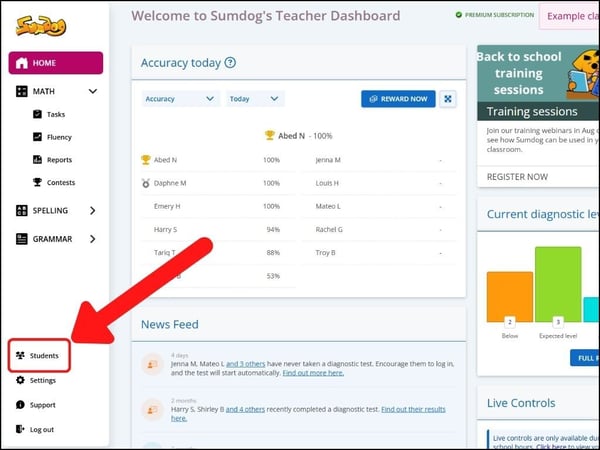
- Select "students" (or pupils) from the sidebar on the left of your dashboard
- Select the students you want to update by clicking on them. Students you choose will be highlighted in blue.
Note: you can select all the students in a class at once by clicking the box on the right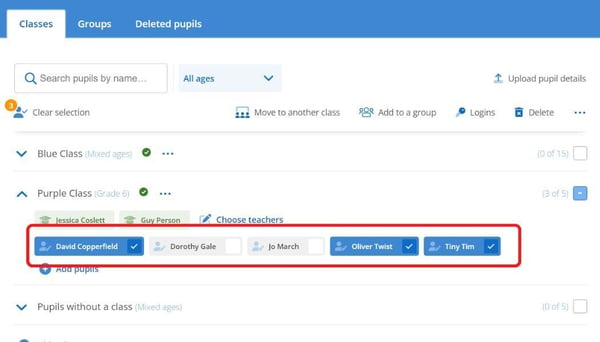
- Click the three dots on the top the right
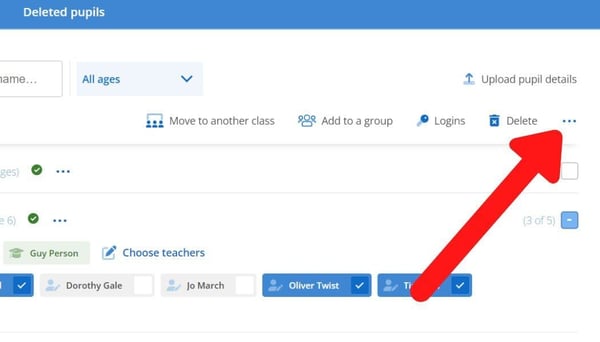
- Click 'change student ages'
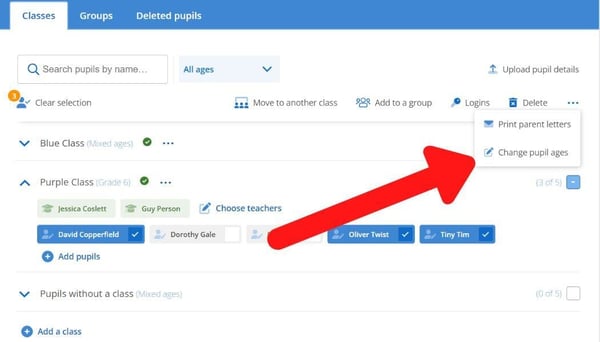
-
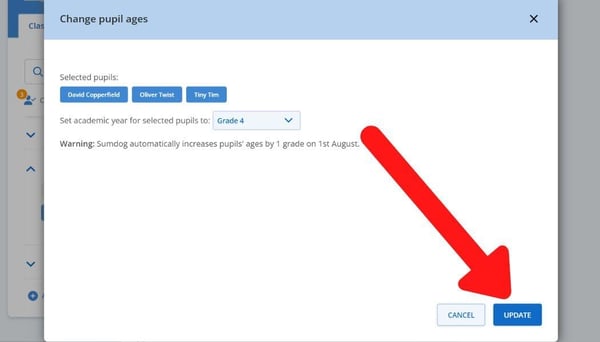
Select the students' current year level from the dropdown menu
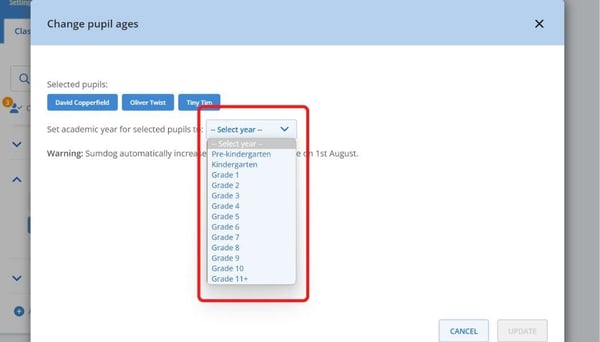
- Click 'update'