
Any teacher can assign another teacher to a class. You can also follow the instructions below to assign yourself to a class.
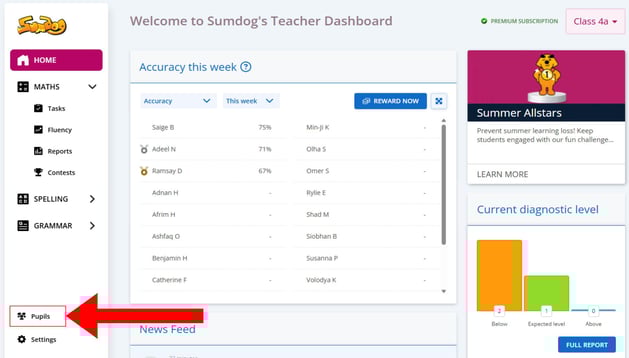
- On the teacher dashboard, click "pupils" in the bottom left corner
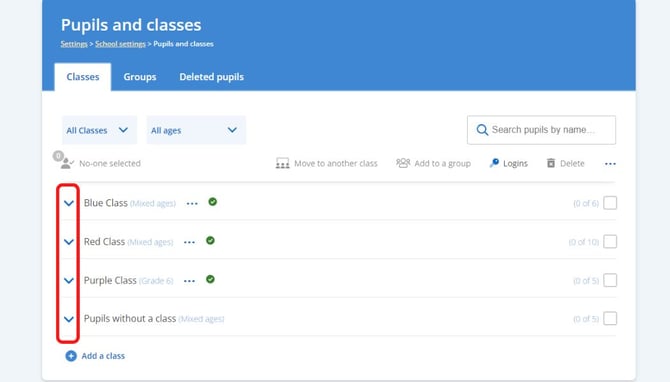
- Find the class the teacher is being added to and click the blue arrow next to it
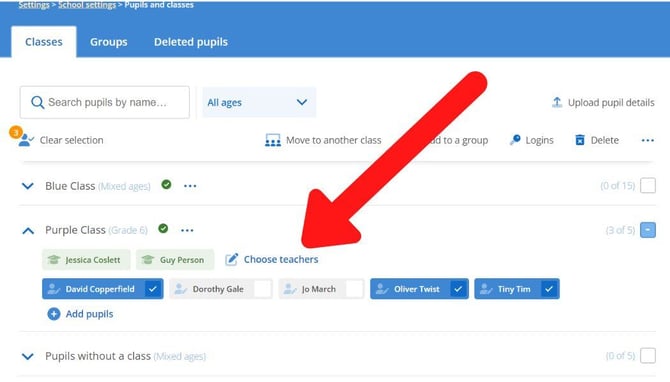
- Click 'choose teachers'
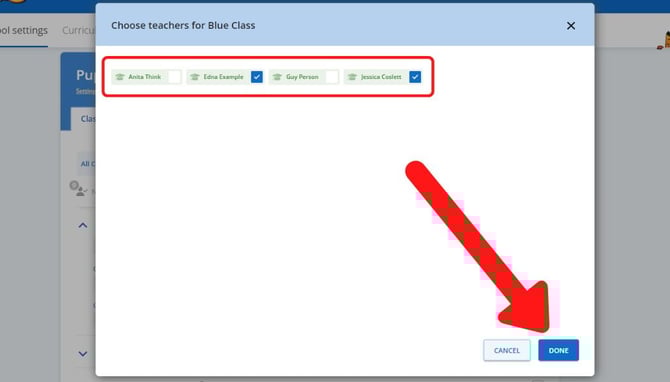
- Select the teacher or teachers you would like to add to the class. You can also deselect any teachers already assigned to the class that you'd like to remove. Once all the teachers you'd like to have assigned to the class are selected, click 'done'
The teacher or teachers you've added will now be able to see that class as their own on their main dashboard when they log in. If they have more than one class, they can click the name of the class in the top left corner to choose a different class.